Christmas Console Setup and Parental Controls
Unofficial guide. Not affiliated with Sony, Microsoft or Nintendo. Menu names change, so every step links to the maker's own support page. Checked 14 Nov 2026.
Step 1: Update before the kids wake up
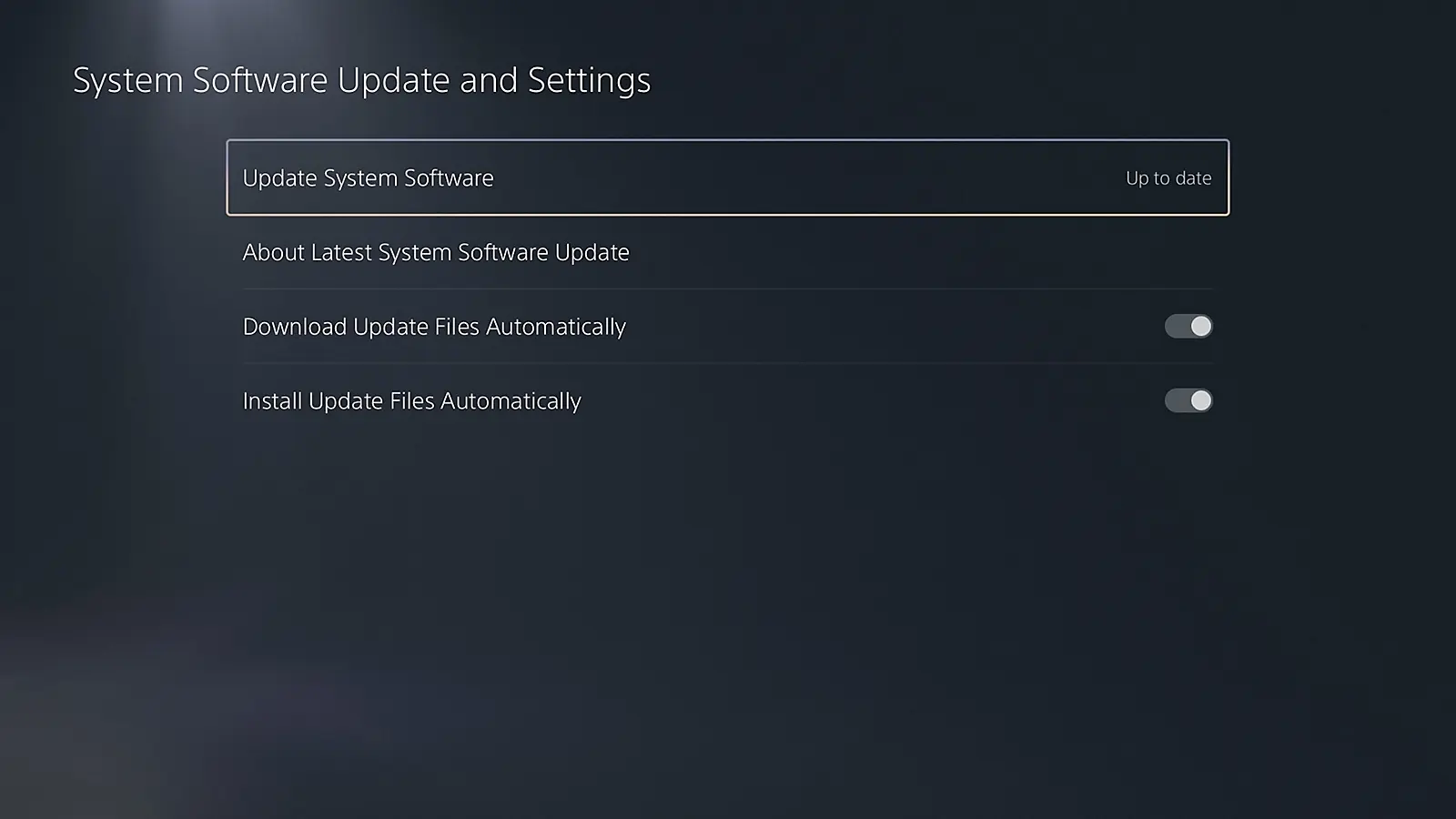
Do the system update the night before so it is ready. PS5: Settings, System, System Software, System Software Update and Settings. Auto download and install can run in rest mode. Xbox: Profile and system, Settings, System, Updates. Switch 2: System Settings, System, System Update.
Step 2: Make accounts first, parent as manager
PlayStation: create a family and add your child as a family member BEFORE setting parental controls. Xbox: the parent is the family organizer in Microsoft Family Safety. Nintendo: parents and children share a Nintendo Account family group. Up to two parents can manage.
Step 3: Time limits, and where each one lives
PS5: Playtime settings. Set the time zone first. Xbox: set on the Family Safety website or app. Time counts while the child is signed in. Switch 2: set the play time limit in the Nintendo Switch Parental Controls app, up to 6 hours a day.
Step 4: Spending, the part that surprises parents
PS5: the monthly spending limit is 0 by default. Raise it only if you want purchases. Xbox: set Ask a parent under Buy and download, or use spending limits in Family Safety. Switch 2: eShop restrictions are set in the parent Nintendo Account, not on the console.
Step 5: Age limits and the PIN
Switch 2: you choose a PIN of 4 to 8 digits during parental controls setup, and can restrict software by age. PS5: set the age level for games and apps in the child's parental controls. Check the child's age is set correctly, then test with the child account.
Tip: log out when done
Xbox says screen time counts while a child is signed in. On PS5, if you change controls while a child is playing, have them sign out and back in for it to apply.




Printable Christmas setup plan, 1 page
5 USDOne page for your home: which consoles you have, the child ages, and the exact steps to tick off before Christmas morning, with the official links. Unofficial. No checkout on this page.
Payment, honestly
Send your details with the button below. We reply with the plan and a payment link. Pay only if you want it.
Order my 5 USD setup plan
Tell us your consoles (PS5, Xbox, Switch 2) and the ages of the kids. We reply with your plan.